Pi-OLED
An add-on for a Raspberry Pi running FPP: an OLED status display, four menu buttons, a real-time clock and a temperature sensor. It has no outputs of its own. It comes in two versions:
- Pi-OLED 2.0 ("basic"): a narrow board held by the Pi's header.
- PiOLED 3.0 With Audio: a full-size Pi hat that adds a high-quality audio output.
Use it on a Pi that drives its lights over the network or USB, or plays the show as a player or master: it gives the Pi the same display, menus and buttons as the Kulp controllers.
Not with an output hat
The Pi-OLED uses GPIO pins that the Kulp Pi controllers also use. Fit it to a Pi without another hat.
Specifications
| Pi-OLED 2.0 | PiOLED 3.0 With Audio | |
|---|---|---|
| Display | 128×64 OLED, blue/yellow, fitted | same |
| Buttons | Up / Down / Back / Enter | same |
| Real-time clock | yes, CR1220 cell included | same |
| Temperature sensor | yes | yes |
| Audio | — | stereo DAC, 3.5 mm line out |
| Headers | 1×4 I²C socket; 2×5 Pi pins 1–10 | 2×5 Pi pins 1–10 |
| Outputs | none | none |
| Power | from the Pi | from the Pi |
| Size | 62.0 × 33.9 mm (2.44 × 1.34 in), no mounting holes | 65 × 56 mm (2.56 × 2.20 in), 4 holes on the Pi's pattern |
| Raspberry Pi | 3 B+, 4, 5, Zero 2 W | 3 B+, 4, 5 |
| FPP | 9.5 or later | 10.1 or later |
Pi-OLED 2.0
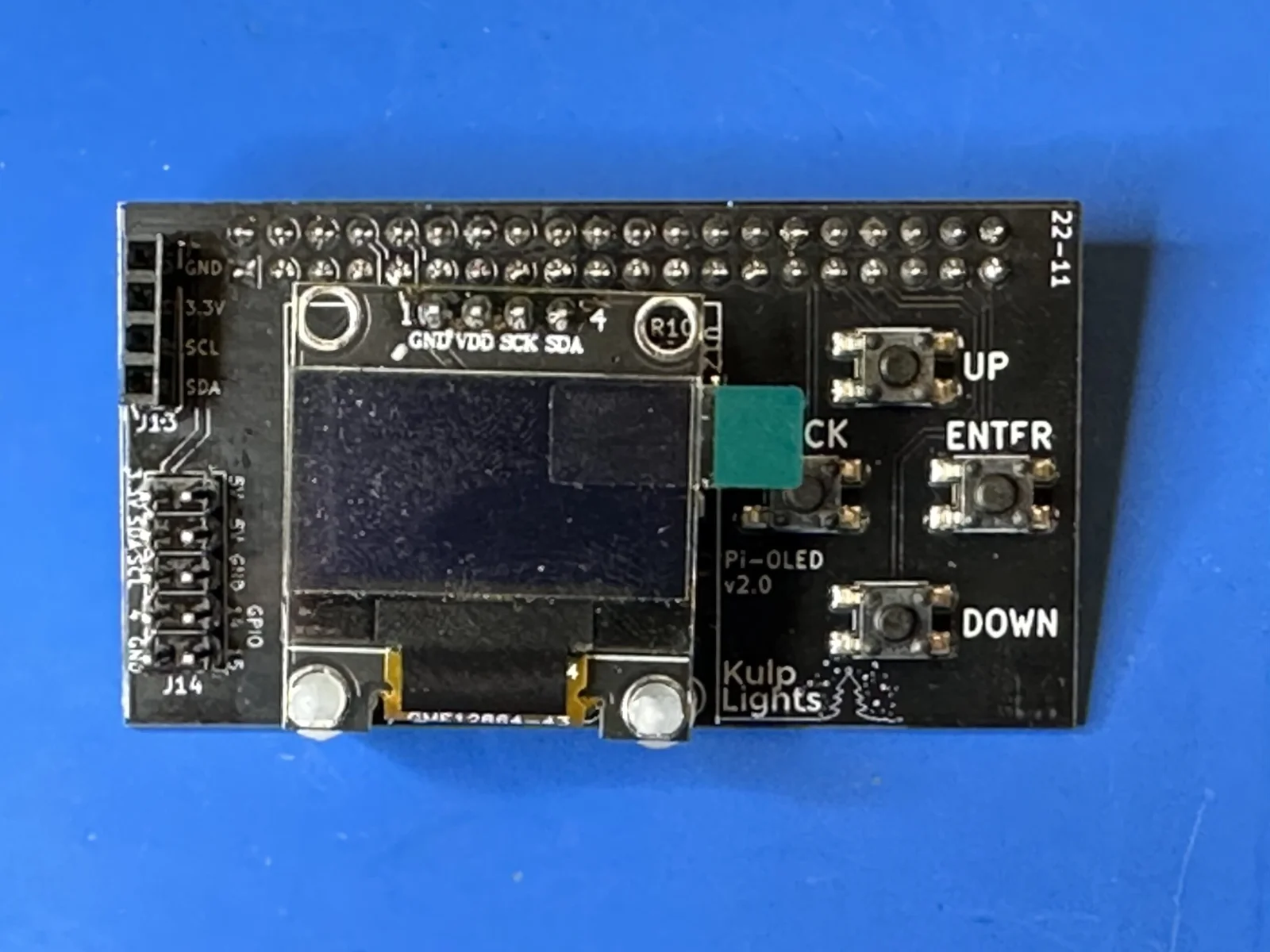
Pi-OLED v2.0. The current board is printed Pi-OLED v2.0.1.
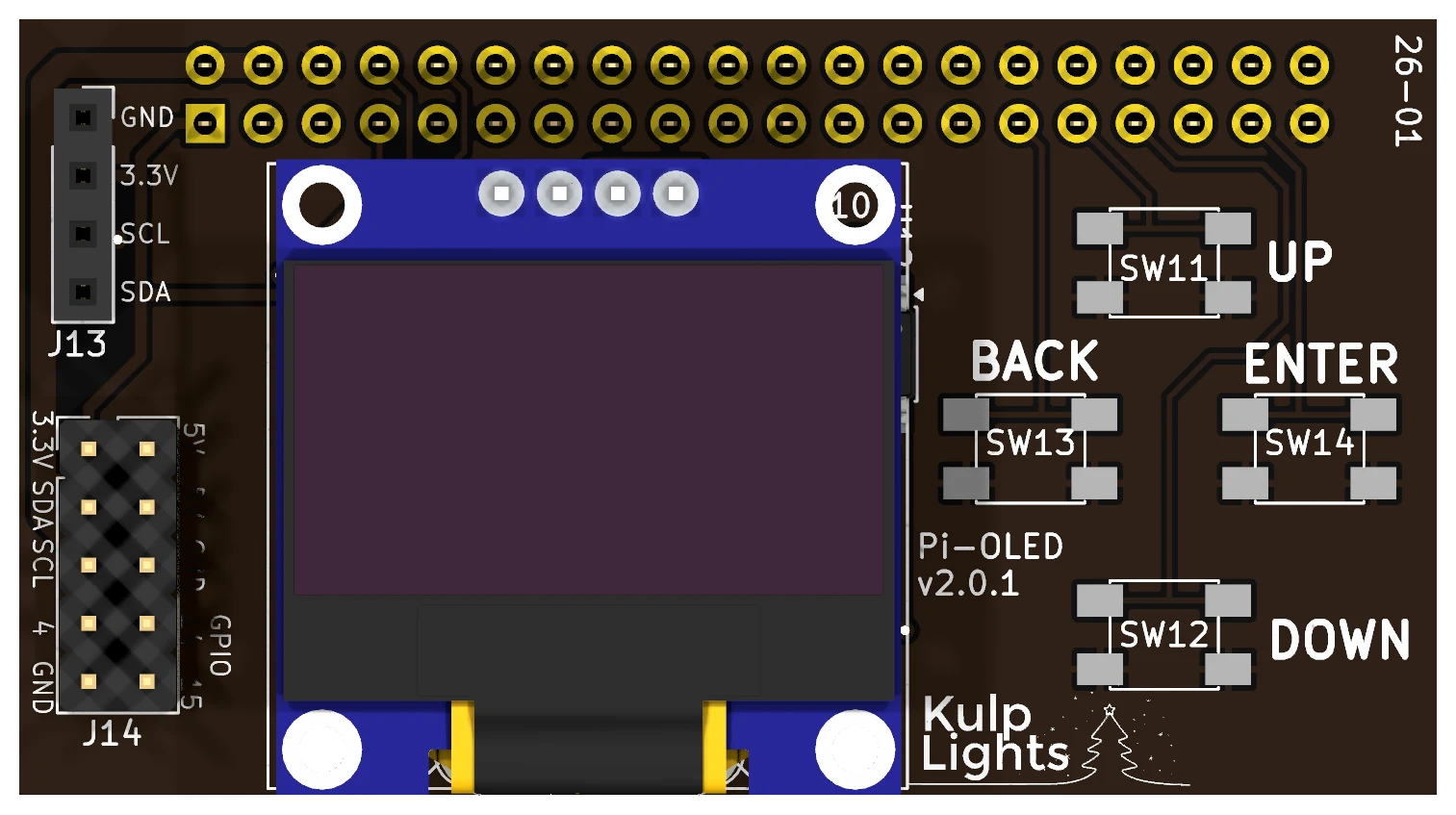
- Fitting: disconnect power, then press its socket onto the Pi's 40-pin header, with the board lying over the Pi. It has no mounting holes; the header holds it.
- Buttons: in a diamond at the right: UP at the top, BACK at the left, ENTER at the right and DOWN at the bottom. See Controls & display.
- Clock: the CR1220 cell sits under the display: unplug the display to change it.
- Headers at the left:
| Header | Marking | Details |
|---|---|---|
| I²C socket | J13: GND 3.3V SCL SDA |
1×4 socket on the I²C bus, for an extra I²C sensor or device. |
| Pi pins 1–10 | J14: 3.3V SDA SCL 4 GND, 5V 5V GND GPIO 14 15 |
2×5 header that repeats the first ten pins of the Pi's header: 3.3 V, 5 V, GND, the I²C bus and GPIO 4, 14 and 15. Add-ons that plug onto those ten pins, such as some clock modules, work here. |
PiOLED 3.0 With Audio
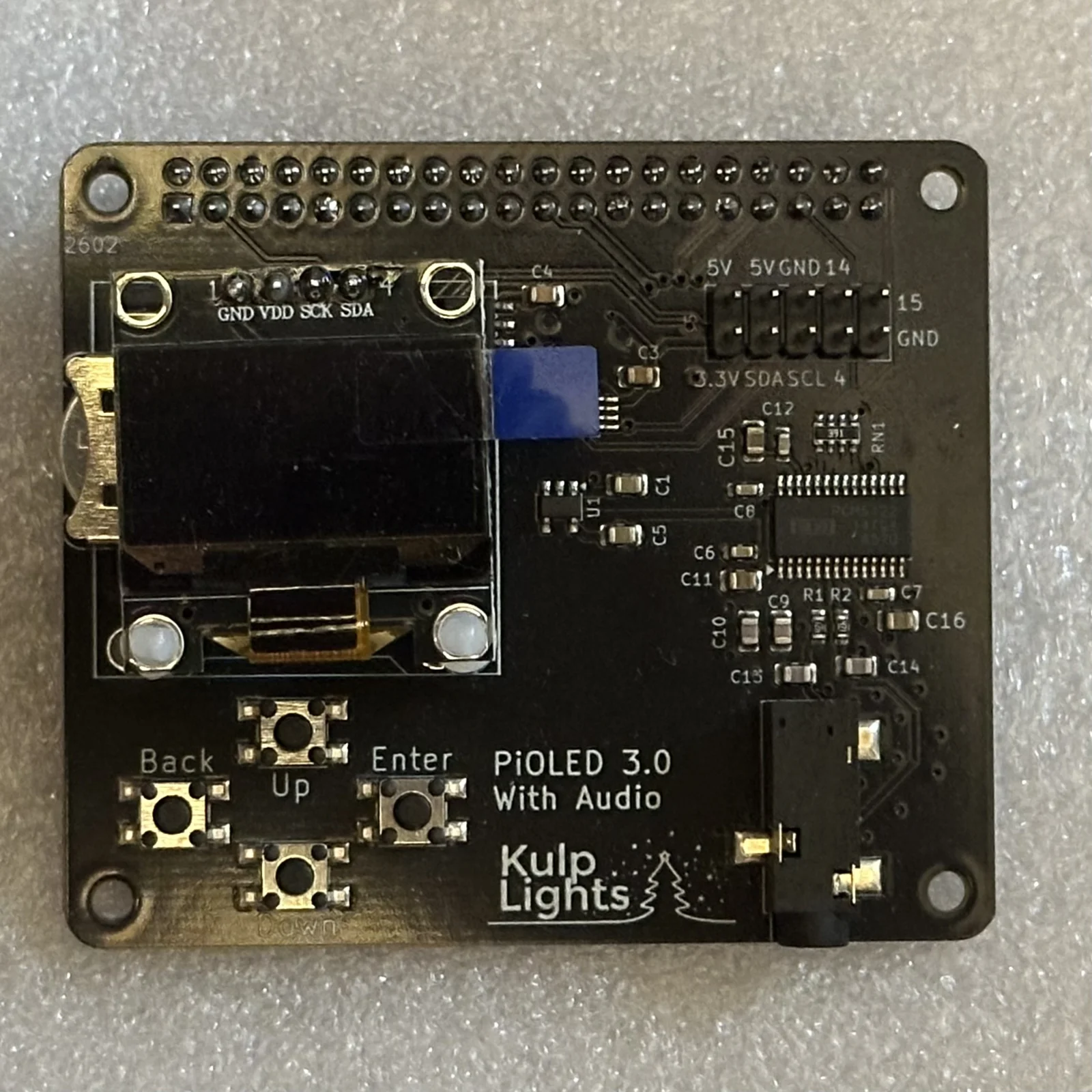
PiOLED 3.0 With Audio.
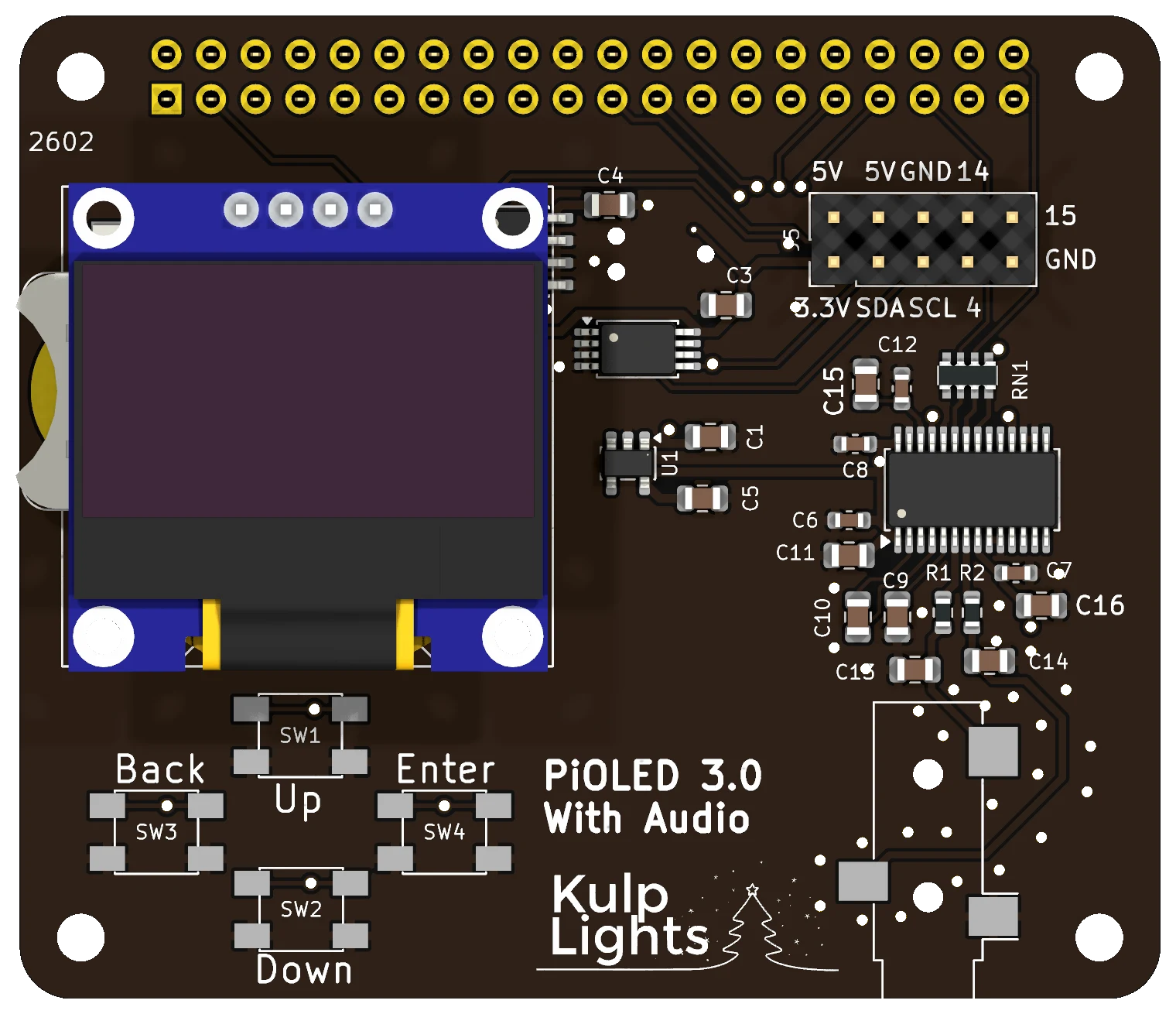
- Fitting: a standard Pi hat. Fit it on M2.5 standoffs in the Pi's four mounting holes, as in Fitting the hat.
- Audio: a PCM5122 stereo DAC drives the 3.5 mm jack at the bottom right. It is line level (tip = left, ring = right, sleeve = ground), for an amplifier, powered speakers or an FM transmitter, and sounds much better than the Pi's own audio. It also gives the Pi 5, which has no audio jack, an audio output. FPP selects it automatically as the KulpLightsHIFI sound card.
- Buttons: in a diamond at the bottom left: Up at the top, Back at the left, Enter at the right and Down at the bottom.
- Clock: the CR1220 cell holder is on the left edge, partly under the display.
- Header: the 2×5 header at the top right repeats the first ten pins of the Pi's header (3.3 V, 5 V, GND, the I²C bus and GPIO 4, 14 and 15), as on the Pi-OLED 2.0.
- Pi 5: use FPP 10.1 or later, so FPP uses the PiOLED's clock instead of the Pi 5's own.
FPP setup
When FPP detects either board it sets up the display, the buttons, the clock and the temperature sensor automatically, and on the PiOLED 3.0 the audio output.
Board revisions
| Board | Revision | Changes |
|---|---|---|
| Pi-OLED | v1.1 – v1.3 | No real-time clock. The buttons use different Pi pins; FPP sets them up from the board's EEPROM. |
| Pi-OLED | v2.0 | Adds the clock and its battery. |
| Pi-OLED | v2.0.1 | A different temperature-sensor chip. Works the same. |
| PiOLED | 3.0 With Audio | Full-size hat with the audio output. |