PocketScroller-16
Sixteen HUB75 outputs for large LED panel matrices from a PocketBeagle 2. It's the bigger sibling of the PocketScroller v3, with the same power input, controls and expansion header, and twice the outputs.
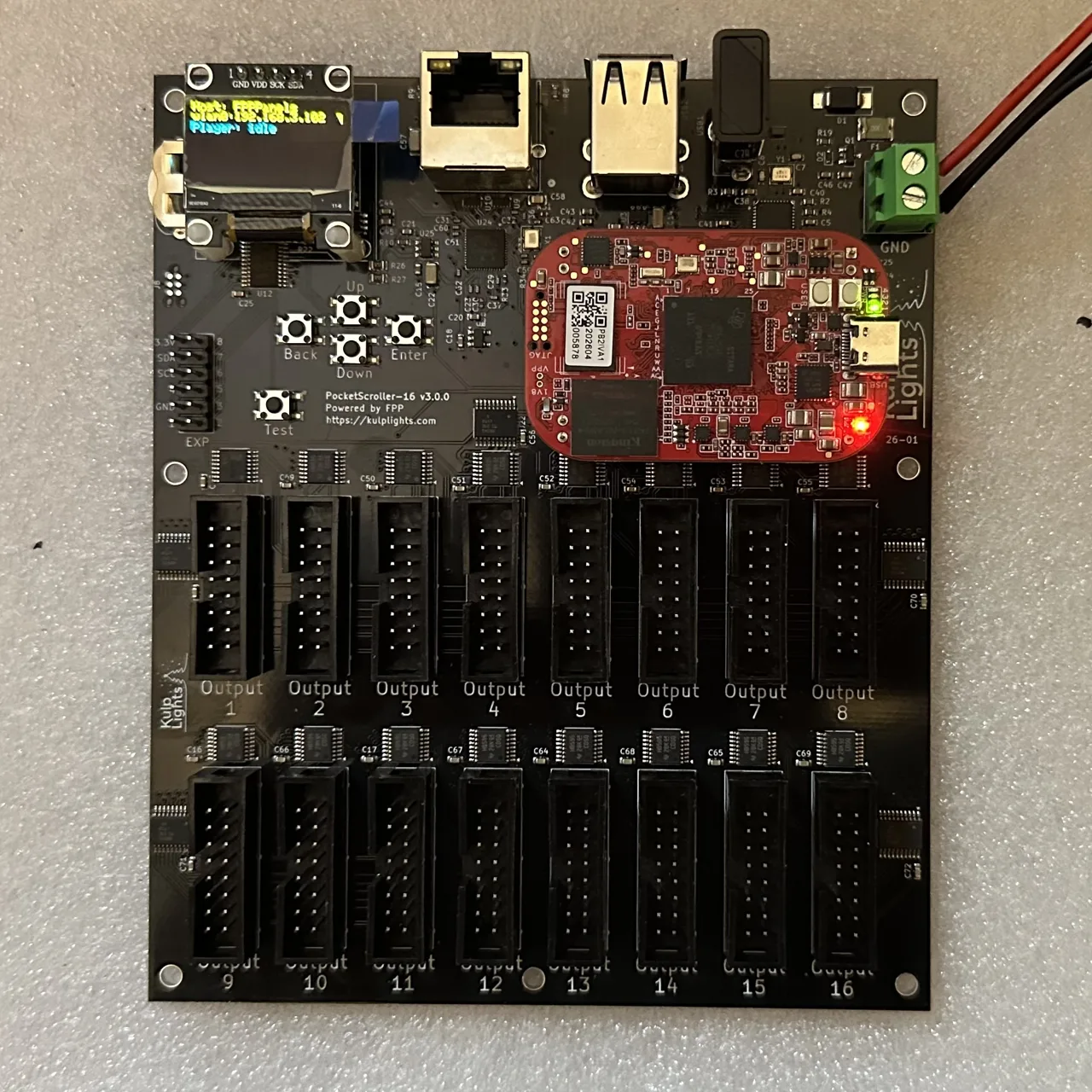
PocketScroller-16 with a PocketBeagle 2 fitted.
This page covers board revision v3.0.0 (printed on the board as PocketScroller-16 v3.0.0).
FPP calls it PocketScroller-16.
Specifications
| PocketScroller-16 | |
|---|---|
| Panel outputs | 16 × HUB75 (2×8 shrouded header), with E line for 1/32-scan panels |
| Capacity | 96 64×32 panels at 12-bit colour and 60 Hz (6 per output); see Capacity |
| Signal level | 5 V |
| Power input | 5 V DC only, 2-pin 5.08 mm screw terminal |
| Input protection | 3 A resettable fuse, over-voltage clamp, reverse-polarity protection |
| Panel power | not supplied. Panels need their own 5 V supply. |
| Ethernet | 1 × Gigabit (USB-attached) |
| USB-A | 3 |
| Display & buttons | 128×64 OLED, Up / Down / Enter / Back / Test |
| Real-time clock | yes, CR1220 backup cell |
| Expansion header | 2×6: I²C + 8 GPIO (Exp.1–Exp.8) |
| Audio, DMX, pixel ports | none |
| Size | 121.95 × 144.21 mm (4.80 × 5.68 in), 7 mounting holes, 3.0 mm |
| Requires | PocketBeagle 2 (not PocketBeagle 1), FPP 10.0 or later |
Board map
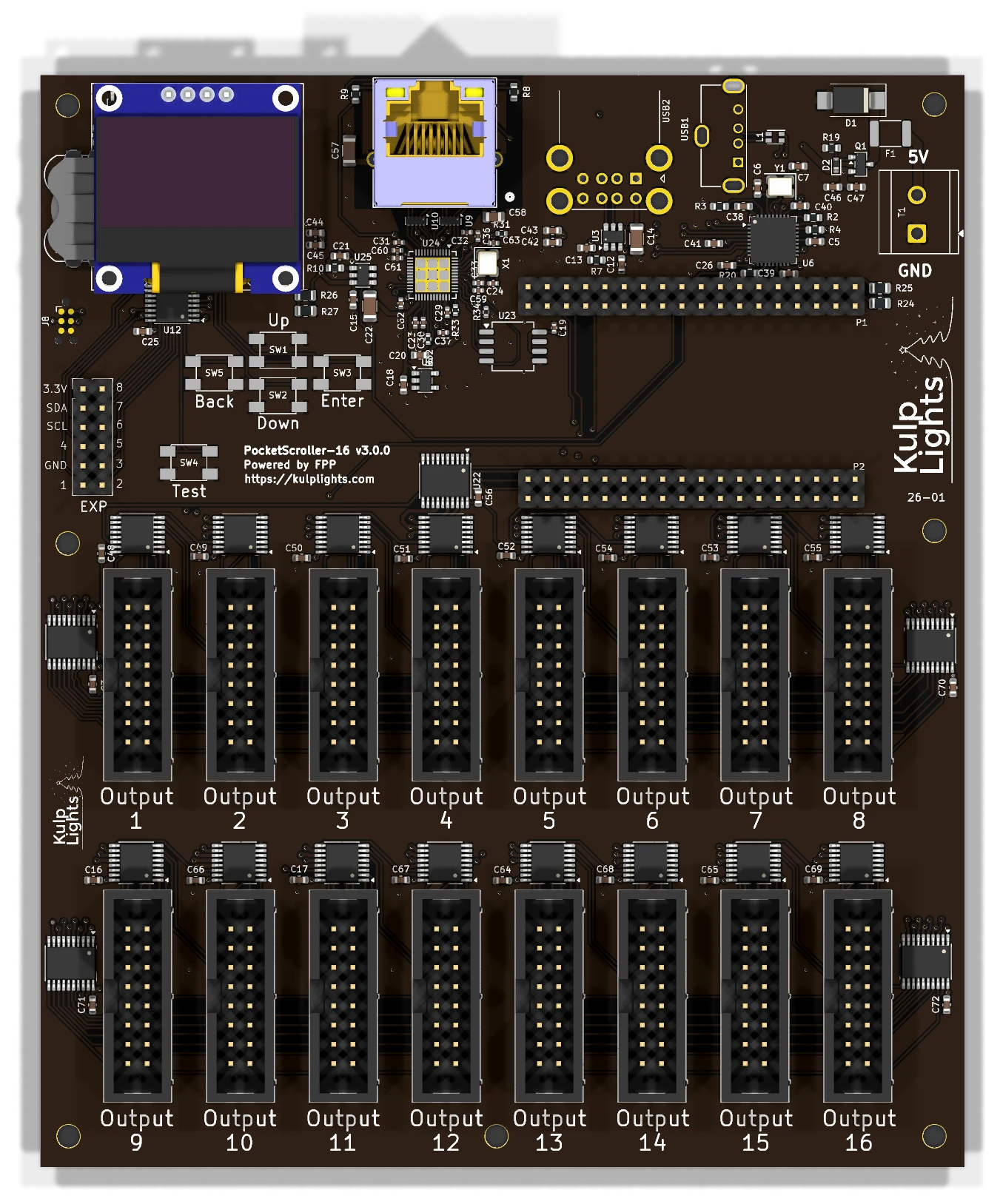
Power
5 V only
Like the PocketScroller v3, the PocketScroller-16 has no voltage regulator. Connect a regulated 5 V supply to the terminal marked 5V / GND (top-right corner). A 12 V or 24 V supply makes the protection clamp conduct and trip the resettable fuse, and can damage the board.
- The terminal powers the PocketBeagle 2, the panel drivers, Ethernet and the USB ports, not the panels. The board draws very little, but use a 5 V supply rated 5 A or more: it handles ripple and spikes better.
- Power every panel from your 5 V panel supply. You can feed the PocketScroller-16 from the same supply.
- There are no power LEDs. When the board is running, the OLED shows status.
- FPP shows the input voltage as VIN.
Panel outputs
The outputs are in two rows of eight: Output 1–8 across the upper row and Output 9–16 across the lower row, left to right.
Each is marked Output n below its connector, and each is a standard HUB75 connector. The pinout is the same as on the PocketScroller v3.
- Use the ribbon cables that come with your panels. The red stripe goes to pin 1 (marked on the header's shroud).
- Spread the panels evenly across the outputs. The refresh rate depends on the longest chain (see Capacity & refresh rate).
Other connectors
| Connector | Marking | Details |
|---|---|---|
| Ethernet | (RJ45 with LEDs) | Network |
| USB-A | — | 3 ports, USB |
| OLED | GND 3.3V SCL SDA |
Controls & display |
| Expansion | EXP |
Expansion header (PocketScroller pinout) |
| RTC battery | coin-cell holder, top-left, behind the OLED | Clock |
Capacity & refresh rate
How many panels you can run depends on how long each chain is and on the colour depth. The table gives the full-frame refresh rate in Hz for 64×32 panels at FPP's default brightness (10). Bold values are 60 Hz or more. Italic values are under 60 Hz, where flicker starts to show on camera and to some viewers.
| Panels per output | Total panels | 12-bit | 10-bit | 8-bit | PWM panels (fps) |
|---|---|---|---|---|---|
| 1 | 16 | 174 | 185 | 199 | 306 |
| 2 | 32 | 138 | 152 | 171 | 153 |
| 3 | 48 | 102 | 115 | 130 | 102 |
| 4 | 64 | 83 | 94 | 108 | 76 |
| 5 | 80 | 69 | 78 | 91 | 61 |
| 6 | 96 | 60 | 68 | 80 | 51 |
| 8 | 128 | 50 | 58 | 70 | 38 |
| 10 | 160 | 43 | 51 | 62 | 31 |
| 12 | 192 | 37 | 44 | 54 | 26 |
| 16 | 256 | 29 | 35 | 43 | 19 |
- Rule of thumb at 60 Hz: up to 6 panels per output at 12-bit colour (96 panels), or 10 per output at 8-bit (160 panels).
- Refresh depends only on the longest chain. Every output is clocked whether or not a panel is attached, so using fewer outputs doesn't make it faster. Spread the panels evenly across all 16 outputs.
- 1/8-scan outdoor panels refresh within a few percent of these 1/16-scan figures. Panels with shift-register row drivers ("ABC-shift" addressing, found on some outdoor 1/8 panels) are 7–16 % slower.
- Lowering colour depth is the easiest way to win back refresh on long chains. Lowering the brightness setting raises refresh slightly (about 9 % at brightness 8).
- The brightest bit plane is split into up to four pulses per frame, so the flicker a viewer actually sees runs 2–4× faster than the full-frame figure.
PWM panels
Panels with PWM driver chips (FM6363C, FM6353, FM6373) run their own 16-bit greyscale, so they don't flicker as chains get longer. Chain length limits only how many new frames per second reach the panels: the last column of the table. Bold values there meet a 40 fps sequence, which works out to up to 7 panels per output (112 panels). Select the panel's driver chip under Panel Type in FPP's LED Panels settings.
FPP setup
When FPP detects the PocketScroller-16 it sets up an LED Panels output (Input/Output Setup → Channel Outputs → LED Panels) with the PocketScroller wiring and a starting layout of 2×2 64×32 panels at low brightness, using all 16 outputs. Set up your panels as described for the PocketScroller v3.
See LED panel matrices in the FPP manual for every field.
Dimensions & mounting
- 121.95 × 144.21 mm (4.80 × 5.68 in), 7 plated mounting holes, 3.0 mm, for M2.5 (or #4) screws and standoffs.
- Mounting drawing: PDF.